
HamsterS
Instance declaration
When you add a HamsterS block to the workspace, the following instance declaration is automatically inserted into the Python code:
hamster_s = HamsterS(0)
# When there are multiple instances
hamster_s_1 = HamsterS(1)
Parameters
| Name | Kind | Description | Range / Type | Default |
|---|---|---|---|---|
| index | Dropdown option | Instance number (starting from 0) | Integer 0 or greater | 0 |
Set wheel speed
Determines the wheel speed. The speed ranges from -100 to 100.

Parameters
| Name | Kind | Description | Range / Type | Default |
|---|---|---|---|---|
| unit | Dropdown option | Wheel to control | left, right, both | - |
| speed | Input (block) | Wheel speed | Integer -100 to 100, 0: stop | - |
Python
hamster_s = HamsterS(0)

hamster_s.set_wheel_speed('both', 50)
Move a distance
Moves the specified distance at the current wheel speed.
If the wheel speed has not been set, it moves forward at the default speed.
If the distance is 0, it keeps moving according to the current wheel speed.
If wait is checked, execution waits until the movement is complete.

Parameters
| Name | Kind | Description | Range / Type | Default |
|---|---|---|---|---|
| data | Input (block) | Distance to move | Real number 0 or greater | - |
| unit | Dropdown option | Distance unit | cm, mm, inch | cm |
| wait | Checkbox | Whether to wait for completion | TRUE / FALSE | TRUE |
Python
hamster_s = HamsterS(0)

hamster_s.move_distance(50, 'cm', wait=True)
Move for a time
Moves for the specified time at the current wheel speed.
If the wheel speed has not been set, it moves forward at the default speed.
If wait is checked, execution waits until the movement is complete.

Parameters
| Name | Kind | Description | Range / Type | Default |
|---|---|---|---|---|
| data | Input (block) | Time to move (seconds) | Real number 0 or greater | - |
| wait | Checkbox | Whether to wait for completion | TRUE / FALSE | TRUE |
Python
hamster_s = HamsterS(0)

# wait = TRUE
hamster_s.move_time(5, wait=True)
# wait = FALSE
hamster_s.move_time(5, wait=False)
Turn in place
Sets the direction and angle to rotate in place.
If wait is checked, execution waits until the rotation is complete.

Parameters
| Name | Kind | Description | Range / Type | Default |
|---|---|---|---|---|
| direction | Dropdown option | Direction of rotation | left, right | - |
| data | Input (block) | Angle of rotation (degrees) | Real number 0 or greater | - |
| wait | Checkbox | Whether to wait for completion | TRUE / FALSE | TRUE |
Python
hamster_s = HamsterS(0)

hamster_s.turn_degree('left', 90, wait=True)
Change wheel speed
Changes the wheel speed of HamsterS.
The new wheel speed is the current wheel speed plus the speed you enter.

Parameters
| Name | Kind | Description | Range / Type | Default |
|---|---|---|---|---|
| unit | Dropdown option | Wheel to control | left, right, both | - |
| speed | Input (block) | Amount of speed change | Integer -200 to 200 | - |
Python
hamster_s = HamsterS(0)

hamster_s.change_wheel_speed('both', 10)
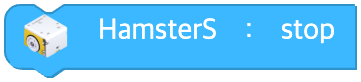
Stop
Stops the movement of HamsterS.
Parameters
(none)
Python
hamster_s = HamsterS(0)

hamster_s.stop()
Is the wheel moving?
Returns true if the wheel is moving, and false if it is stopped.

Parameters
(none)
Python
hamster_s = HamsterS(0)

hamster_s.wheel_moving()
Move forward one step on the board
Moves one step at a time on the board as configured.

Parameters
(none)
Python
hamster_s = HamsterS(0)

hamster_s.grid_move()
Turn once on the board
Rotates 90 degrees on the board in the specified direction.

Parameters
| Name | Kind | Description | Range / Type | Default |
|---|---|---|---|---|
| direction | Dropdown option | Direction of rotation | left, right | - |
Python
hamster_s = HamsterS(0)

hamster_s.grid_turn('left')
Pivot around the pen holder
When using the pen holder, sets the pivot point, direction, and angle of rotation.
If wait is checked, execution waits until the rotation is complete.

Parameters
| Name | Kind | Description | Range / Type | Default |
|---|---|---|---|---|
| base | Dropdown option | Pivot point | left pen (left_pen), right pen (right_pen), left wheel (left_wheel), right wheel (right_wheel) | - |
| direction | Dropdown option | Direction of rotation | forward, backward | - |
| degree | Input (block) | Angle of rotation (degrees) | Real number 0 or greater | - |
| wait | Checkbox | Whether to wait for completion | TRUE / FALSE | TRUE |
Python
hamster_s = HamsterS(0)

hamster_s.pivot('left_pen', 'forward', 90, wait=True)
Draw a circle around the pen holder
When drawing a circle with the pen holder, sets the pivot point, direction, radius, and angle of rotation.
If wait is checked, execution waits until the rotation is complete.

Parameters
| Name | Kind | Description | Range / Type | Default |
|---|---|---|---|---|
| base | Dropdown option | Pivot point | left pen (left_pen), right pen (right_pen) | - |
| direction | Dropdown option | Direction of rotation | left forward (left_forward), left backward (left_backward), right forward (right_forward), right backward (right_backward) | - |
| degree | Input (block) | Angle of rotation (degrees) | Real number 0 or greater | - |
| radius | Input (block) | Radius of rotation | Real number 0 or greater | - |
| unit | Dropdown option | Radius unit | cm, mm, inch | cm |
| wait | Checkbox | Whether to wait for completion | TRUE / FALSE | TRUE |
Python
hamster_s = HamsterS(0)

hamster_s.pivot_circle('left_pen', 'left_forward', 90, 1, 'cm', wait=True)
Trace a line with the sensor
HamsterS uses its floor sensor to follow a line of a particular color.

Parameters
| Name | Kind | Description | Range / Type | Default |
|---|---|---|---|---|
| floor | Dropdown option | Floor sensor to trace with | left, right, center | - |
| line | Dropdown option | Line color | black, white | black |
Python
hamster_s = HamsterS(0)

hamster_s.trace_line('left', 'black')
Move through an intersection and stop at the next one
HamsterS moves in the specified direction at an intersection, then keeps moving until it meets the next intersection.
If wait is checked, execution waits until the movement is complete.

Parameters
| Name | Kind | Description | Range / Type | Default |
|---|---|---|---|---|
| direction | Dropdown option | Direction to take at the intersection | turn left (left), turn right (right), move forward (forward), u-turn (uturn) | - |
| line | Dropdown option | Line color | black, white | black |
| wait | Checkbox | Whether to wait for completion | TRUE / FALSE | TRUE |
Python
hamster_s = HamsterS(0)

hamster_s.trace_intersection('left', 'black', wait=True)
Set line trace speed
Sets the line trace speed. The speed ranges from 1 to 10.

Parameters
| Name | Kind | Description | Range / Type | Default |
|---|---|---|---|---|
| data | Input (block) | Line trace speed | Integer 1 to 10 | - |
Python
hamster_s = HamsterS(0)

hamster_s.set_trace_speed(5)
Set line trace gain
Sets the amount by which the line trace direction changes. The gain ranges from 1 to 10.

Parameters
| Name | Kind | Description | Range / Type | Default |
|---|---|---|---|---|
| data | Input (block) | Amount of direction change | Integer 1 to 10 | - |
Python
hamster_s = HamsterS(0)

hamster_s.set_trace_gain(5)
Stop line tracing
Ends the line tracing function of HamsterS.

Parameters
(none)
Python
hamster_s = HamsterS(0)

hamster_s.stop_trace()
Set LED color
Sets the LED color of HamsterS.
When you pick a color from the color palette, it is converted to a color name (an English string) for the call. (The generated code uses a color name, not R, G, B numeric values.)

Parameters
| Name | Kind | Description | Range / Type | Default |
|---|---|---|---|---|
| unit | Dropdown option | LED to control | left, right, both | - |
| color | Color | Pick from the color palette → converted to a color name (English) | Color names: 'black', 'red', 'yellow', 'green', 'cyan', 'blue', 'magenta', 'white' | - |
Python
hamster_s = HamsterS(0)

hamster_s.set_led_color('both', 'red')
Set LED color with a Color category block
Takes a Color category block ([R, G, B]) as input and sets the LED color.

Parameters
| Name | Kind | Description | Range / Type | Default |
|---|---|---|---|---|
| unit | Dropdown option | LED to control | left, right, both | - |
| data | Input (color) | A Color category block or an [R, G, B] array | [0~255, 0~255, 0~255] | - |
Python
hamster_s = HamsterS(0)

hamster_s.set_led_color('both', *Utils.color_rgb(255, 128, 0))
Change LED color by RGB
Changes the LED color of HamsterS by the specified R, G, and B amounts.

Parameters
| Name | Kind | Description | Range / Type | Default |
|---|---|---|---|---|
| unit | Dropdown option | LED to control | left, right, both | - |
| r | Input (field) | Amount of red change | Integer -255 to 255 | 0 |
| g | Input (field) | Amount of green change | Integer -255 to 255 | 0 |
| b | Input (field) | Amount of blue change | Integer -255 to 255 | 0 |
Python
hamster_s = HamsterS(0)

hamster_s.change_led_color('both', 10, 0, 0)
Turn off LED
Removes the LED color.

Parameters
| Name | Kind | Description | Range / Type | Default |
|---|---|---|---|---|
| unit | Dropdown option | LED to control | left, right, both | both |
Python
hamster_s = HamsterS(0)

hamster_s.turn_off('both')
Set sound buzz
Sets the buzzer sound of HamsterS to the specified frequency.
The frequency range that can produce sound is 122.1 Hz to 4186.0 Hz.
If you enter a value outside this range, no buzzer sound is produced.

Parameters
| Name | Kind | Description | Range / Type | Default |
|---|---|---|---|---|
| hz | Input (block) | Frequency (Hz) | Real number 122.1 to 4186.0 (0 otherwise) | - |
Python
hamster_s = HamsterS(0)

hamster_s.sound_buzz(440)
Play a note
HamsterS plays the specified note.

Parameters
| Name | Kind | Description | Range / Type | Default |
|---|---|---|---|---|
| note | Dropdown option | Note | Do (C), Do# (C#), Re (D), Re# (D#), Mi (E), Fa (F), Fa# (F#), Sol (G), Sol# (G#), La (A), La# (A#), Si (B) | - |
| octave | Dropdown option | Octave | 3, 4, 5, 6, 7 | 4 |
Python
hamster_s = HamsterS(0)

hamster_s.sound_note('D', 5)
Play a sound clip
HamsterS plays a particular sound clip.
If wait is checked, execution waits until playback is complete.

Parameters
| Name | Kind | Description | Range / Type | Default |
|---|---|---|---|---|
| clip | Dropdown option | Sound clip name | 'mute', 'beep', 'siren', 'engine', 'robot', 'march', 'birthday', 'happy', 'angry', 'sad', and so on | - |
| wait | Checkbox | Whether to wait for completion | TRUE / FALSE | TRUE |
Python
hamster_s = HamsterS(0)

hamster_s.sound_clip('siren', wait=True)
Sound off
Turns off the sound of HamsterS.

Parameters
(none)
Python
hamster_s = HamsterS(0)

hamster_s.sound_off()
Is a sound playing?
Returns true if a sound is playing, and false if it is not.

Parameters
(none)
Python
hamster_s = HamsterS(0)

hamster_s.sound_playing()
Wheel speed value
The speed of a particular wheel

Parameters
| Name | Kind | Description | Range / Type | Default |
|---|---|---|---|---|
| unit | Dropdown option | Wheel to read | left, right | - |
Python
hamster_s = HamsterS(0)

hamster_s.wheel_speed('left')
Proximity sensor value
The value of a particular proximity sensor

Parameters
| Name | Kind | Description | Range / Type | Default |
|---|---|---|---|---|
| unit | Dropdown option | Sensor position to measure | left, right | - |
Python
hamster_s = HamsterS(0)

hamster_s.proximity('left')
Floor sensor value
The value of a particular floor sensor

Parameters
| Name | Kind | Description | Range / Type | Default |
|---|---|---|---|---|
| unit | Dropdown option | Sensor position to measure | left, right | - |
Python
hamster_s = HamsterS(0)

hamster_s.floor('left')
Gravitational acceleration value
The gravitational acceleration value along a particular axis

Parameters
| Name | Kind | Description | Range / Type | Default |
|---|---|---|---|---|
| unit | Dropdown option | Axis to measure | x, y, z | - |
Python
hamster_s = HamsterS(0)

hamster_s.acceleration('x')
Brightness sensor value
The brightness sensor value

Parameters
(none)
Python
hamster_s = HamsterS(0)

hamster_s.light()
Temperature sensor value
The temperature sensor value

Parameters
(none)
Python
hamster_s = HamsterS(0)

hamster_s.temperature()
Signal strength value
The signal strength

Parameters
(none)
Python
hamster_s = HamsterS(0)

hamster_s.signal_strength()
Battery voltage
The battery voltage

Parameters
(none)
Python
hamster_s = HamsterS(0)

hamster_s.battery()
Whether the state has changed
Whether the state of the robot has changed

Parameters
| Name | Kind | Description | Range / Type | Default |
|---|---|---|---|---|
| unit | Dropdown option | Kind of state | 0 to 7 (see the table below) | - |
| unit | Meaning | Python |
|---|---|---|
| 0 | Tilt forward | acceleration('x') > 5000 |
| 1 | Tilt backward | acceleration('x') < -5000 |
| 2 | Tilt left | acceleration('y') > 5000 |
| 3 | Tilt right | acceleration('y') < -5000 |
| 4 | Upside down | acceleration('z') > 0 |
| 5 | Not upside down | acceleration('z') < -3000 |
| 6 | Obstacle / hand detected | proximity('left') > 50 or proximity('right') > 50 |
| 7 | Tapped | tap() |
Python
hamster_s = HamsterS(0)

# unit = 0
hamster_s.acceleration('x') > 5000
# unit = 6
hamster_s.proximity('left') > 50 or hamster_s.proximity('right') > 50
# unit = 7
hamster_s.tap()
Set I/O port input mode
Sets the input mode of an I/O port.

Parameters
| Name | Kind | Description | Range / Type | Default |
|---|---|---|---|---|
| unit | Dropdown option | I/O port | A ('a'), B ('b'), both | - |
| option | Dropdown option | I/O mode | analog_input, digital_input, digital_input_pullup, digital_input_pulldown, analog_input_voltage, servo_output, pwm_output, digital_output | - |
Python
hamster_s = HamsterS(0)

hamster_s.io_mode('both', 'analog_input')
Set I/O port output value
Sets the output value of the specified I/O port.

Parameters
| Name | Kind | Description | Range / Type | Default |
|---|---|---|---|---|
| unit | Dropdown option | I/O port | A ('a'), B ('b'), both | - |
| data | Input (block) | Output value | Integer 0 to 180 | - |
Python
hamster_s = HamsterS(0)

hamster_s.set_output('a', 90)
Change I/O port output value
Changes the output value of the specified I/O port.

Parameters
| Name | Kind | Description | Range / Type | Default |
|---|---|---|---|---|
| unit | Dropdown option | I/O port | A ('a'), B ('b'), both | - |
| data | Input (block) | Amount of output change | Integer | - |
Python
hamster_s = HamsterS(0)

hamster_s.change_output('a', 10)
Open / close the gripper
Opens or closes the gripper of HamsterS.
Depending on the unit value, one of two methods is called.

Parameters
| Name | Kind | Description | Range / Type | Default |
|---|---|---|---|---|
| unit | Dropdown option | Action | open, close | - |
Python
hamster_s = HamsterS(0)

# unit = "open"
hamster_s.open_gripper()
# unit = "close"
hamster_s.close_gripper()
Set shooter angle
Sets and controls the shooter angle. The angle ranges from 0 to 180.

Parameters
| Name | Kind | Description | Range / Type | Default |
|---|---|---|---|---|
| data | Input (block) | Shooter angle | Integer 0 to 180 | - |
Python
hamster_s = HamsterS(0)

hamster_s.shooter(45)
I/O port input value
Returns the input value of an I/O port of HamsterS.

Parameters
| Name | Kind | Description | Range / Type | Default |
|---|---|---|---|---|
| unit | Dropdown option | I/O port | A ('a'), B ('b') | - |
Python
hamster_s = HamsterS(0)

hamster_s.get_input('a')