
Control
In block coding, control blocks manipulate the flow of the program.
They can wait for a set time, detect keyboard input, print logs, and more.
Wait
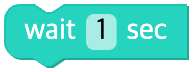
Waits for the specified time (in seconds) and then runs the next command.
Parameters
| Name | Kind | Description | Range / Type | Default |
|---|---|---|---|---|
| sec | Input (field) | Wait time — literal number (e.g. Utils.wait(0.5)) | Real number ≥ 0 | - |
| sec | Input (block) | Wait time — variable/expression (e.g. Utils.wait(time)) | Real number ≥ 0 | - |
Python
python
# field sec = 2 → used as is (in seconds)
Utils.wait(2)

# variable input
Utils.wait(myVar)
Wait one frame
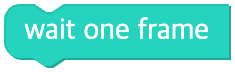
Pauses the execution of the program for one frame (about 0.001 seconds).
Parameters
(none — fixed at 0.001 seconds)
Python
python
Utils.wait(0.001)Key pressed
Returns whether a specific key is being pressed as true / false.

Parameters
| Name | Kind | Description | Range / Type | Default |
|---|---|---|---|---|
| key | Input | Key name | space, up, left, right, down, a~z, 0~9, shift, ctrl, alt, enter, tab, esc, backspace | - |
Python
python
Utils.keypressed('space')Log
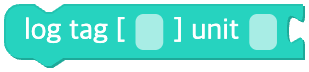
Prints the value of a variable or property to the console window in real time.
Parameters
| Name | Kind | Description | Range / Type | Default |
|---|---|---|---|---|
| data | Input | Value to print | Any value | - |
| tag | Input | Log tag | String | - |
| unit | Input | Unit label | String | - |
Python
python
Utils.log(data, '', '')Scope
Shows how a value changes over time as a real-time graph in the scope window.
You can set the graph's color, minimum/maximum values, and range.

Parameters
| Name | Kind | Description | Range / Type | Default |
|---|---|---|---|---|
| signal | Input (block) | Graph signal value | Real number | - |
| name | Input | Graph name | String | - |
| min_val | Input (field) | Graph minimum | Real number | - |
| max_val | Input (field) | Graph maximum | Real number | - |
| color | Color | Graph color (hex) | Hex string | - |
Python
python
Utils.scope(signal, '', 0, 100, '#000000')